Crayonic Mobile ID Wallet
Enterprise-grade passwordless authentication for your smartphone
Previously known as Crayonic Soft Badge
Overview
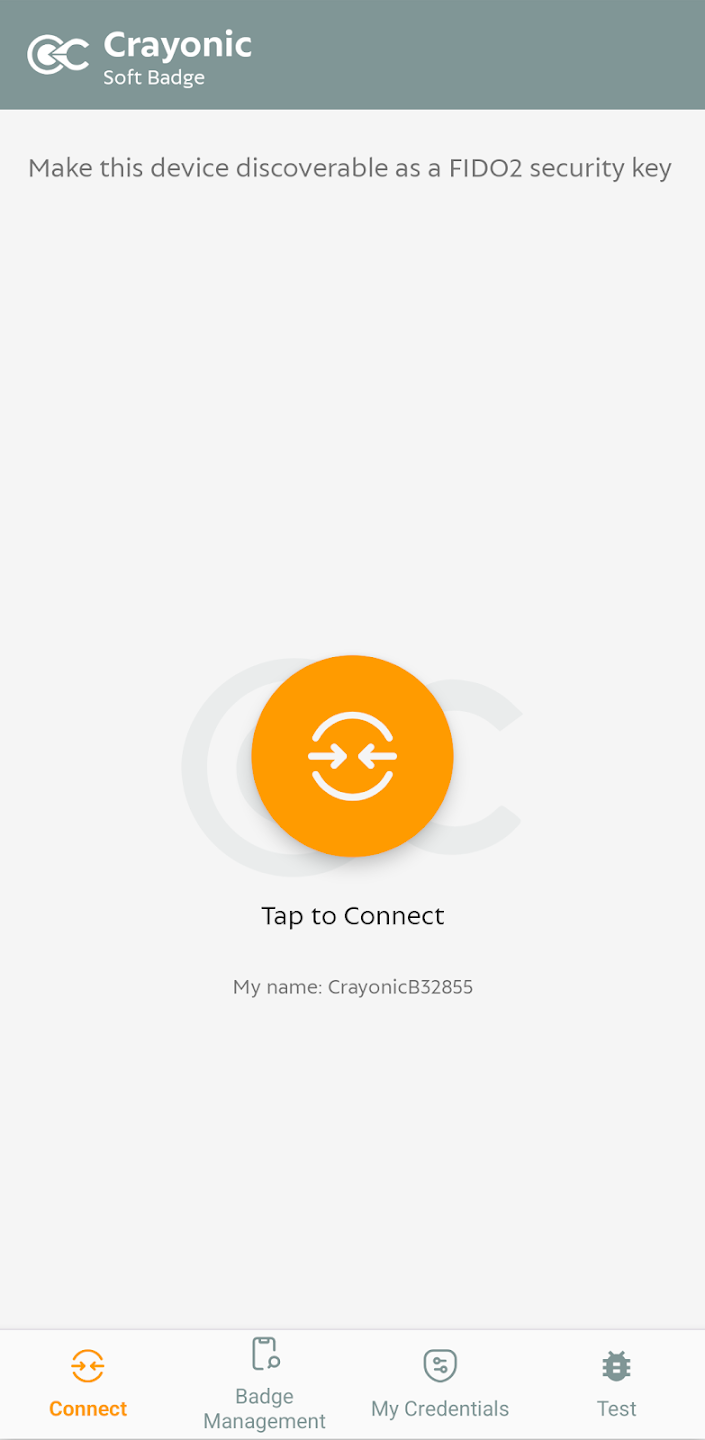
Crayonic Mobile ID Wallet transforms your smartphone into a powerful, secure digital identity wallet. This mobile application for Android and iOS provides enterprise-grade passwordless authentication while maintaining the highest security standards through hardware-backed credential storage.
The application serves dual purposes: 1. Device Management - Configure and manage settings for physical Crayonic ID wallets such as Crayonic Badge or Crayonic KeyVault 2. Independent ID Wallet - Function as a standalone secure credential storage solution fully compatible with the Crayonic ecosystem
Key Features
Secure Passkey Storage
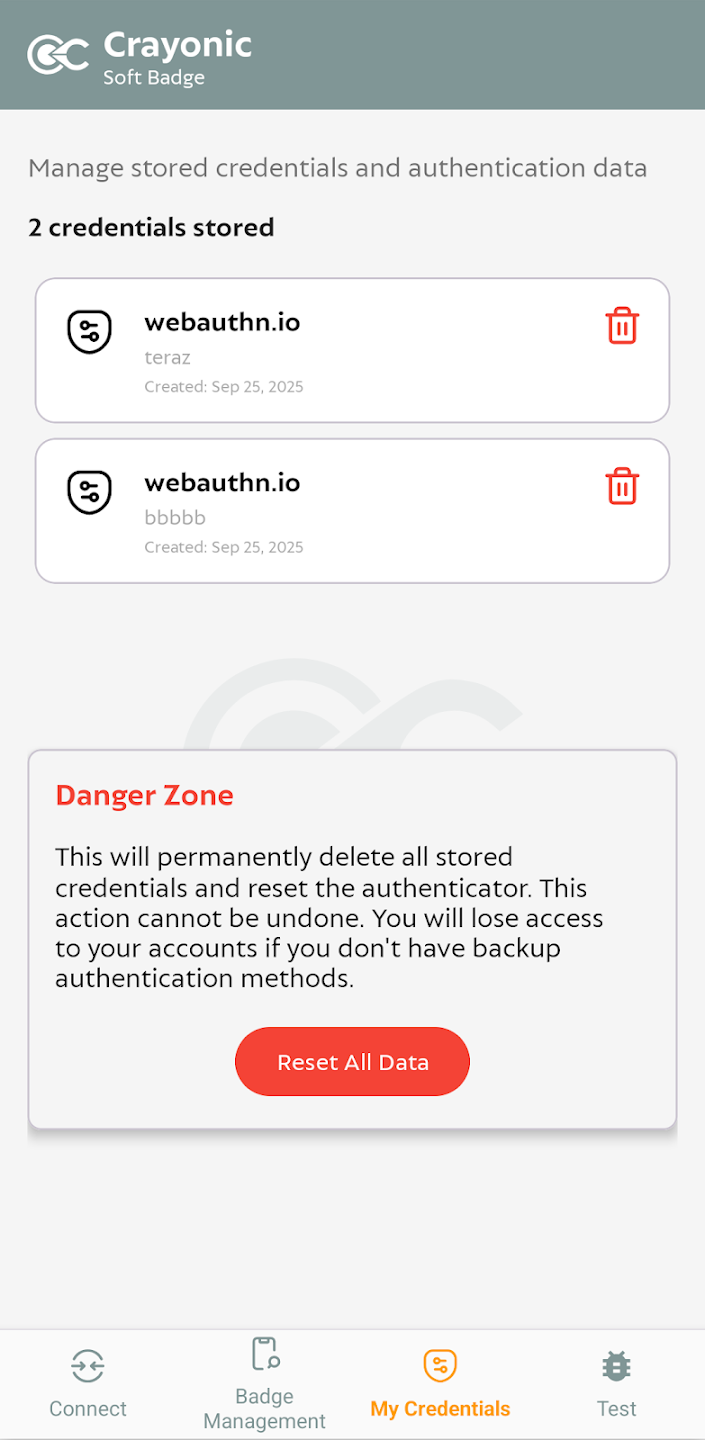
Crayonic Mobile ID Wallet provides a superior alternative to native cloud-based passkey managers like Google Password Manager or iCloud Keychain. Unlike cloud-synced solutions, your passkeys remain exclusively on your device, protected by hardware-backed security.
Key advantages over cloud-based passkey managers: - No cloud synchronization - Passkeys never leave your device, eliminating cloud breach risks - Hardware-backed security - All credentials stored in device secure enclave (Trusted Execution Environment) - Biometric protection - Access controlled by fingerprint, Face ID, or device PIN - Enterprise control - IT administrators can manage and audit credential usage - Privacy-first design - Your authentication data stays under your control
Dual Operating Modes
1. Standalone Mode (Direct Authentication)
Use your passkeys directly from your smartphone without any additional hardware: - Web authentication - Sign in to websites and web applications using FIDO2/WebAuthn - Native app authentication - Authenticate to mobile and desktop applications - Cross-platform compatibility - Works with any FIDO2-compatible service - No additional hardware required - Your phone is your security key
2. Bridge Mode (Proximity Authentication)
Connect to Crayonic Bridge for seamless desktop authentication: - Automatic proximity login - Approach your workstation to log in automatically - Hands-free authentication - No need to touch your phone or computer - Automatic logout - Walk away and your session locks automatically - Multi-device support - One phone can authenticate to multiple workstations - Enterprise deployment - Ideal for shared workspaces and hot-desking environments
Supported Credentials
Currently Available
- FIDO2 Passkeys - Modern passwordless authentication for web and applications
Coming Soon
- PIV-compatible X.509 certificates - Smart card emulation for enterprise PKI
- Additional identity formats - Expanding credential type support
- TOTP/HOTP - Time-based and counter-based one-time passwords
- Passwords - Secure encrypted password storage
Security Architecture
Hardware-Backed Security
Crayonic Mobile ID Wallet leverages your device's built-in security features: - Secure Enclave (iOS) / Trusted Execution Environment (Android) - Hardware-backed key storage - Private keys never exposed to the operating system - Biometric authentication - Fingerprint or facial recognition required - Tamper detection - Credentials protected against device compromise
Privacy by Design
- Local-only storage - No cloud synchronization or backup
- Zero-knowledge architecture - Crayonic cannot access your credentials
- Minimal permissions - Only essential device permissions required
- Audit logging - Track credential usage for compliance
Use Cases
Enterprise Deployment
- Passwordless Windows login - Via Crayonic Bridge proximity authentication
- VPN and network access - Secure remote access without passwords
- Application SSO - Single sign-on to enterprise applications
- Compliance requirements - Meet regulatory standards for authentication
Personal Use
- Secure web authentication - Replace passwords with passkeys
- Privacy-focused alternative - Avoid cloud-based password managers
- Multi-account management - Separate work and personal credentials
- Cross-device authentication - Use your phone to authenticate on any device
Hybrid Scenarios
- Home and office - Direct authentication at home, Bridge mode at office
- BYOD environments - Personal device for enterprise authentication
- Temporary access - Authenticate to shared or public computers securely
Technical Requirements
Mobile Device Requirements
- Operating System: Android 9.0+ or iOS 13.0+
- Hardware: Device with biometric authentication (fingerprint or Face ID)
- Security: Hardware-backed keystore/secure enclave
- Connectivity: Bluetooth 4.0+ (for Bridge mode)
Compatibility
- FIDO2/WebAuthn - All major browsers (Chrome, Safari, Firefox, Edge)
- Crayonic Bridge - Wireless proximity authentication
- Enterprise systems - Microsoft Entra ID, Active Directory, Okta, and more
- Standards compliance - FIDO2, WebAuthn, CTAP2
Comparison: Mobile Wallet vs. Hardware Wallets
| Feature | Mobile ID Wallet | Badge/KeyVault |
|---|---|---|
| Portability | Always with you (smartphone) | Separate device to carry |
| Connectivity | Bluetooth (Bridge mode), Direct (WebAuthn) | USB, NFC, RFID, Bluetooth |
| Security | Hardware-backed (device SE) | Dedicated secure element (EAL 4+) |
| Biometrics | Device biometrics | Integrated fingerprint sensor |
| Display | Phone screen | Dedicated secure display |
| Battery | Phone battery | Independent battery |
| Cost | Software license only | Hardware + software |
| Deployment | App installation | Physical distribution |
Getting Started
Installation
- Download Crayonic Mobile ID Wallet from App Store or Google Play
- Complete initial setup and biometric enrollment
- Register your first passkey or import credentials
Configuration
- Standalone mode - Ready to use immediately after installation
- Bridge mode - Pair with Crayonic Bridge for proximity authentication
- Enterprise deployment - Configure via MDM or Crayonic Gateway
Support
For detailed setup instructions, troubleshooting, and enterprise deployment guides, visit the Crayonic Documentation Portal.
Why Choose Crayonic Mobile ID Wallet?
Security Without Compromise
Unlike consumer-grade password managers that sync credentials to the cloud, Crayonic Mobile ID Wallet keeps your passkeys exclusively on your device, protected by military-grade hardware security.
Enterprise-Ready
Built for organizations that require the highest security standards while maintaining user convenience. Fully compatible with existing Crayonic infrastructure and enterprise identity systems.
Future-Proof
Based on open standards (FIDO2, WebAuthn) ensuring long-term compatibility and interoperability with emerging authentication technologies.
Privacy-First
Your credentials, your device, your control. No cloud synchronization means no cloud breaches, no unauthorized access, and complete privacy.
Coming 2026 - Available for Android and iOS
© 2025 Crayonic. All rights reserved.