Crayonic Credential Manager
A role-aware web console for Microsoft Entra ID that lets administrators and standard users manage FIDO2 passkeys and certificates on Crayonic hardware — with self-service enrollment, multi-party approvals, a full audit trail and, optionally, legacy-app passwords through the Crayonic Agent.
Where this fits
CCM is the credential lifecycle layer of the Crayonic platform: it provisions FIDO2 methods into Entra ID through Microsoft Graph and runs the self-service and approval workflows. It sits beside CDM (fleet management) — see the Solution Architecture for how the two combine, and for the Entra-isolation deployment mode.
What CCM Is
CCM is a three-tier system:
- SPA (React browser UI) — all user and admin workflows; signs in with Entra ID (OIDC / PKCE via MSAL)
- Backend (.NET 8 REST API) — Graph proxy, operation-token issuer, audit, persistence (PostgreSQL + Redis)
- Agent (local service on
https://localhost:17620) — device operations and WebAuthn ceremonies that browsers cannot initiate cross-origin
Why an Agent? WebAuthn binds credentials to the relying-party origin, so a site that is not login.microsoft.com cannot create Entra FIDO2 credentials from the browser. The Crayonic Agent runs on the user's workstation and talks to the hardware directly (CTAP2 over USB, the Crayonic protocol, or the native Windows WebAuthn API). The SPA only reaches it over localhost HTTPS with strict origin binding, and every sensitive Agent operation requires a short-lived operation token (RS256 JWT, minutes of validity) issued by the Backend and validated by the Agent against the Backend's JWKS. The Agent never holds Graph credentials.
The tool is designed for organizations deploying passwordless authentication at scale. Non-technical users (e.g. HR or helpdesk staff) can provision passkeys once it is configured.
CCM runs in your environment (see Deployment). There is no end-user installer for CCM itself — users and administrators access it through a browser at the URL your organization has provisioned. The only local piece is the Crayonic Agent on workstations where hardware is enrolled.
Who Uses It
| Persona | What they do in CCM |
|---|---|
| Identity Administrator | Tenant-level user and credential operations: search users, create users, provision passkeys on behalf of others, manage wallets |
| Helpdesk Operator | Limited scope for user provisioning and credential resets |
| Security Officer | Reviews policy, audits operations, approves sensitive actions, exports audit reports |
| End User | Self-service passkey enrollment with the approval workflow; manages their own passkeys |
CCM keeps no admin user list of its own: admin capabilities are derived from the Entra ID directory roles in the user's token (Global Administrator, User Administrator, Authentication Administrator and their privileged variants). See the Admin User Manual for the role matrix.
Feature Highlights
- Entra ID sign-in via MSAL Browser (PKCE); Kerberos SSO optional for domain-joined PCs
- Role-aware UI — Global Admin, User Admin, Authentication Admin and Standard User views differ
- Unified passkey view aligning Entra methods, wallet credentials, and CCM's local store with live Agent events
- On-behalf (OBO) provisioning — create Entra FIDO2 methods on Agent-backed hardware, with serial-number checks and duplicate warnings
- Self-service with approvals — users request a passkey, designated approvers sign the request with their own passkeys, and the requester finalizes it on their device; wallet-side direct creation allowed by policy
- Device awareness — wallet list with status and capabilities, Agent health in the header
- Audit & reporting — filterable log with CCM/PWM categories and PDF export; audit events can be exported to a SIEM
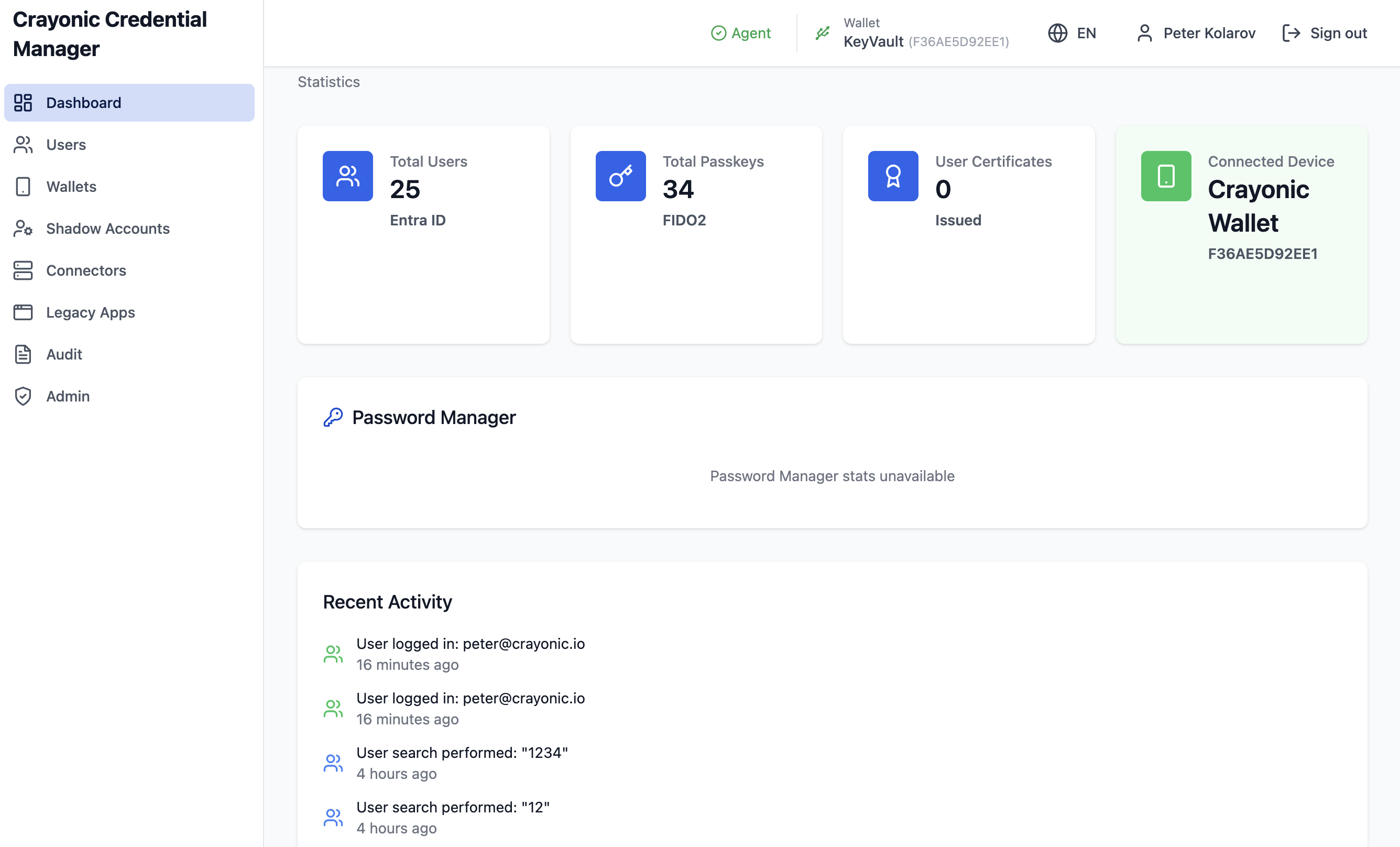
- Password Manager (preview) — shadow accounts (bulk CSV), connectors (AD/LDAP/SQL/SAP/custom with health tests), legacy-app detection rules, dashboard stats; off by default
- Localization — EN, DE, FR, NL, PL, CS, SK
Video Tutorial
The video walks through user creation, passkey management and the main administrative tasks.
Documentation
CCM ships with two screenshot-driven guides plus a security reference. Pick the one that matches your role:
- End-User Manual — sign-in, My Passkeys, requesting and finalizing a passkey, approvals
- Admin User Manual — dashboard, user search, on-behalf provisioning, wallet management, audit log, password-manager preview, system configuration
- Security — credential handling, operation tokens, JWKS rotation, transport, audit and privacy details
Prerequisites
- Modern browser (Chrome, Edge, Firefox, Brave, Safari) with WebAuthn support
- Microsoft Entra ID account; admin actions additionally need an Entra directory role (see the Admin Manual for the role matrix)
- For wallet operations: a Crayonic KeyVault or Badge connected to the local Crayonic Agent on the user's workstation
- For self-service: the feature enabled by your administrator (it is off by default)
- An Entra ID app registration for the CCM backend with the Graph permissions below, plus the tenant's FIDO2 authentication-method policy enabled
Graph permissions (connected mode)
The CCM backend is the only component that talks to Microsoft Graph. Its app registration needs application permissions for the passkey and user lifecycle:
| Permission | Used for |
|---|---|
UserAuthenticationMethod.ReadWrite.All |
Read, create and delete FIDO2 authentication methods (Microsoft now also offers the narrower UserAuthMethod-Passkey.ReadWrite.All for the passkey APIs) |
User.Read.All |
User search, dashboard statistics |
User.ReadWrite.All |
Creating users from CCM (only if you use that feature) |
Directory.Read.All |
Admin-role detection when the token does not carry directory-role claims |
The SPA registers as a public client (PKCE) and needs no client secret. Client secrets, database credentials and the JWT signing key live only in the backend's environment or a secret store (Azure Key Vault, HashiCorp Vault, …) and should be rotated regularly.
Deployment
CCM is deployed centrally by your IT team — as a Docker Compose stack with the SPA, .NET backend, PostgreSQL, Redis and a TLS-terminating reverse proxy, on-premises or in your cloud. End-points needed:
- SPA — for example
https://app.example.com - Backend — for example
https://api.example.com - Agent —
https://localhost:17620on each user workstation (never exposed publicly; the Agent runs natively, never in a container, because it needs USB/HID access)
The Agent is distributed for Windows (installer suitable for GPO/Intune roll-out), macOS and Linux. It only accepts the CCM addresses on its allowlist: if the SPA is served from your own address, add it on every workstation as described in Allowing your CCM address.
Appliance option
For isolated networks CCM and CDM can be delivered together as a single virtual appliance (OVA): one hardened VM with a reverse proxy, CCM, the CDM backend and console, an MQTT broker and PostgreSQL/Redis, imported into vSphere/ESXi. The appliance has no default internet route; its only permitted outbound destination is login.microsoftonline.com, used for validating Entra sign-in tokens. Contact Crayonic for availability and sizing.
Entra-isolation mode
In its default (connected) mode the backend holds a Graph app credential with tenant-wide passkey permissions — a trust relationship some security teams will not accept. Entra-isolation mode is a deployment mode of the same product (not a fork) for regulated or air-gapped networks:
- CCM holds no Graph credentials and has no network path to Graph. Admins still sign in with Entra ID; the SPA does the OIDC redirect in the browser and CCM only validates the resulting token.
- CCM keeps a directory mirror, a challenge pool and an operation outbox. Passkeys are enrolled on the KeyVault or Badge against pooled Entra registration challenges; registrations, revocations and (optionally) user-creation requests are queued.
- A separate, single-purpose CCM Entra Bridge CLI on a hardened, connected admin workstation carries signed, encrypted, replay-protected bundles between CCM and Entra — via removable media, a one-way share or a data diode — applies the queued operations to Graph, and brings back a fresh directory snapshot, challenges and per-operation receipts. It authenticates to Graph with a certificate credential, and can be scoped to an Administrative Unit so it can never touch users outside that population, nor any administrator account.
- Revocation follows a configured SLA, with a
revoke-nowbreak-glass command for urgent cases. Every bundle and bridge command is audited on both sides. - Because self-service needs live user tokens, the self-service workflow is disabled in isolated mode; a lighter connected-admin variant (Graph calls made live from the administrator's own MFA'd browser session, no standing credential anywhere) is available for customers whose requirement is "no server-held credential" rather than "no online path".
For the full deployment walkthrough, contact Crayonic for the latest deployment package.
Legacy Desktop CCM
The earlier Windows desktop version of Credential Manager has been superseded by this web app. It remains available on the Downloads page for environments that have not migrated yet.