Crayonic Mobile ID Wallet
Enterprise-grade passwordless authentication for your smartphone
Previously known as Crayonic Soft Badge
Overview
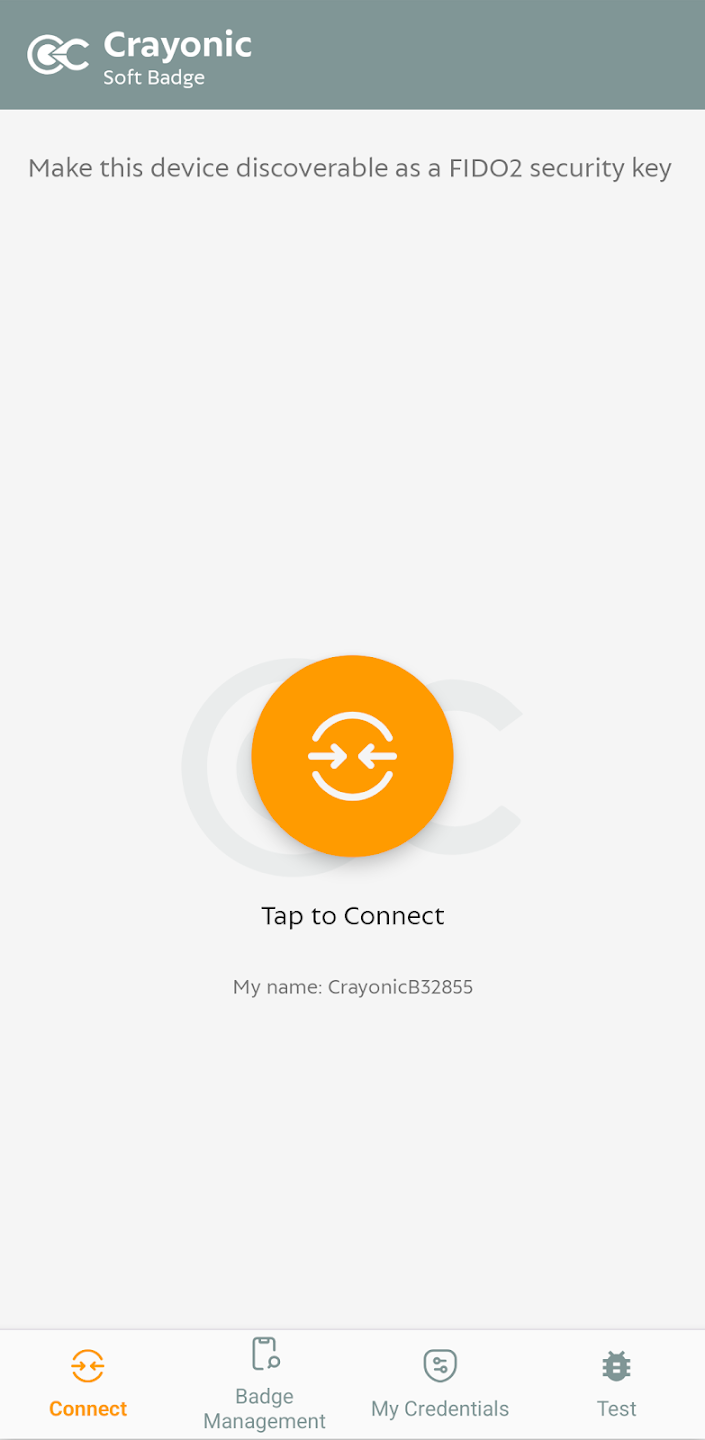
Crayonic Mobile ID Wallet turns an Android smartphone into a digital identity wallet in its own right. It is a FIDO2 authenticator that carries the user's passkeys, protected by the phone's hardware-backed keystore and biometrics, and presents them to workstations through a Crayonic Bridge over Bluetooth, exactly as a Crayonic Badge does. On the phone itself, the same passkeys are used directly by apps and browsers.
Where this fits
The Mobile ID Wallet is the software wallet of the Crayonic solution - a phone-based alternative to, or companion of, the Badge and KeyVault; see Solution Architecture for how it plugs into the Bridge, CCM/CDM and the Secure Audio Service.
The application serves three purposes:
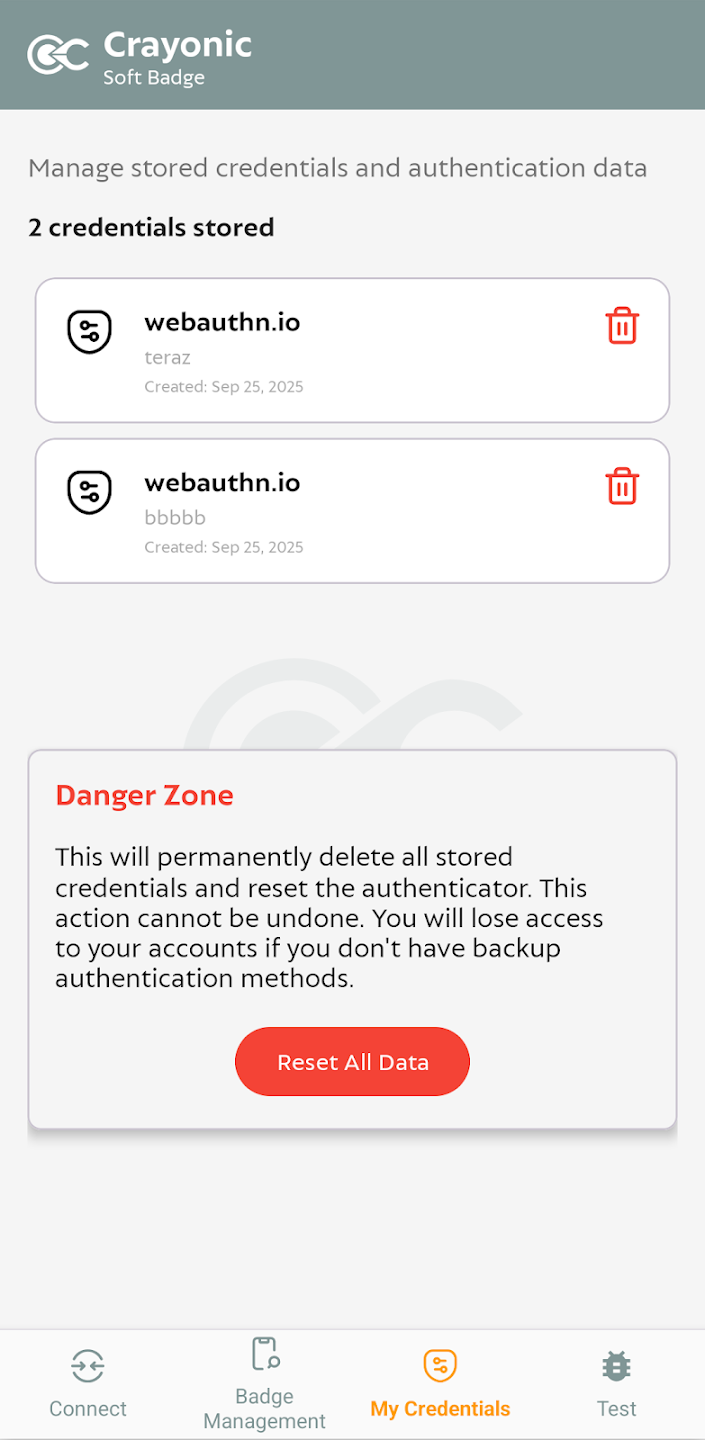
- Independent ID Wallet - a standalone FIDO2 authenticator holding the user's passkeys, fully compatible with the Crayonic ecosystem
- Badge companion app - configure and manage a physical Crayonic wallet (Crayonic Badge or Crayonic KeyVault) over a direct Bluetooth connection
- Encrypted-audio courier (designed, upcoming) - carry encrypted recordings from the Badge to the Crayonic Secure Audio Service without a workstation
flowchart LR
  MIW["Mobile ID Wallet<br/>(Android)"]
  BRIDGE["Crayonic Bridge<br/>on the workstation"]
  RP["Websites / apps<br/>(FIDO2 / WebAuthn)"]
  BADGE["Crayonic Badge"]
  CSA["Crayonic Secure Audio Service"]
  MIW -->|"passkeys over BLE"| BRIDGE
  MIW -->|"passkeys used on the phone itself"| RP
  MIW <-->|"badge management over BLE"| BADGE
  BADGE -.->|"encrypted audio (designed)"| MIW -.->|"upload, receipt back to badge"| CSA
Key Features
Secure Passkey Storage
Crayonic Mobile ID Wallet is an alternative to cloud-synced passkey managers such as Google Password Manager. Your passkeys are created and used inside the Android Keystore and never leave the phone.
Key advantages over cloud-based passkey managers:
- No cloud synchronization - Passkeys never leave your device, eliminating cloud breach risks
- Hardware-backed security - Credentials live in the Android Keystore and, on phones that support it, in the Trusted Execution Environment
- Biometric protection - Access controlled by fingerprint or face unlock, with device PIN/pattern as fallback
- Privacy-first design - Your authentication data stays under your control
Operating Modes
1. Standalone Mode (Direct Authentication)
Use your passkeys in apps and browsers on the smartphone itself, without any additional hardware:
- Web authentication - Sign in to websites and web applications using FIDO2/WebAuthn (resident keys for passwordless, username-less login; U2F for second-factor use)
- Cross-platform compatibility - Works with any FIDO2-compatible service
- On the phone only - Android does not let an app act as an external security key for other devices over NFC or Bluetooth, so direct authentication applies to what runs on the phone. To sign in on a workstation, use Bridge mode.
- No additional hardware required - Your phone is your security key
2. Bridge Mode (Proximity Authentication)
Connect to a Crayonic Bridge for seamless desktop authentication - the phone behaves exactly like a Crayonic Badge:
- Proximity login - approach your workstation to sign in
- Automatic lock - walk away and your session locks
- Multi-device support - One phone can authenticate to multiple workstations
- Enterprise deployment - Ideal for shared workspaces and hot-desking environments
3. Badge Management (Companion App)
Over a direct Bluetooth connection to a Crayonic Badge or KeyVault the app can:
- read and change the device's settings and security policies (user-verification options, timeouts, proximity behaviour)
- enroll and delete fingerprints, set or change the device PIN
- list and delete resident FIDO2 credentials on the device
- back up and restore FIDO2 credentials*
- factory-reset the device
The phone's name is shown on the badge's display while it is connected. The management feature set is being expanded release by release; settings management is available today, the remaining items are rolling out.
4. Encrypted-Audio Courier (designed feature - not yet released)
A Crayonic Badge can record audio and encrypt it on-device with keys derived from its own FIDO2 credential (see Crayonic Badge and Secure Audio). The Mobile ID Wallet is designed to act as a blind courier for these recordings:
- the user pairs the phone with their badge once (Bluetooth bonding with a passkey shown on the badge's display), and proves to the service that they own the badge using the badge's existing FIDO2 credential - no administrator enrollment step
- when the badge is nearby and advertises "audio waiting", the phone connects on a dedicated Bluetooth service, pulls each encrypted recording, and uploads it to the Secure Audio Service
- the service's signed receipt is handed back to the badge, which verifies it before freeing the space
- the phone holds only an upload-only token and opaque ciphertext: a lost or compromised phone cannot read, decrypt or delete any recording
This removes the need for a workstation, Bridge or Agent at the capture site (wards, home visits, small practices). The feature is specified and under development; contact Crayonic for availability.
Supported Credentials
Currently Available
- FIDO2 Passkeys - Modern passwordless authentication for web and applications (resident and non-resident keys), plus legacy FIDO U2F
- Passwords - locally stored passwords with Android Autofill support
Planned
- PIV-compatible X.509 certificates - smart-card style credentials for enterprise PKI
- TOTP/HOTP - Time-based and counter-based one-time passwords
- Additional identity formats - Expanding credential type support
Security Architecture
Hardware-Backed Security
Crayonic Mobile ID Wallet leverages your device's built-in security features:
- Android Keystore - private keys are generated and used inside the keystore; on devices that provide it, key operations run in the Trusted Execution Environment and the private key is never exposed to the operating system
- Biometric authentication - fingerprint or face recognition (Android BiometricPrompt), with device credential fallback
- Per-use authorization - key use is gated by a fresh user verification
Privacy by Design
- Local-only storage - No cloud synchronization or backup
- Zero-knowledge architecture - Crayonic cannot access your credentials
- Minimal permissions - Only essential device permissions required
Use Cases
Enterprise Deployment
- Passwordless Windows login - Via Crayonic Bridge proximity authentication
- VPN and network access - Secure remote access without passwords
- Application SSO - Single sign-on to enterprise applications
- Badge fleet support - end users manage their own badge (fingerprints, PIN, settings) from their phone
Personal Use
- Secure web authentication - Replace passwords with passkeys
- Privacy-focused alternative - Avoid cloud-based password managers
- Multi-account management - Separate work and personal credentials
Hybrid Scenarios
- Phone and workstation - Direct authentication in apps on the phone, Bridge mode at the workstation
- BYOD environments - Personal device for enterprise authentication
- No-workstation capture sites - the phone as courier for encrypted badge recordings (upcoming)
Technical Requirements
Mobile Device Requirements
- Operating System: Android 7.0 (API 24) or newer
- Hardware: Device with biometric authentication recommended; hardware-backed keystore (TEE) recommended
- Connectivity: Bluetooth Low Energy (Bridge mode, badge management)
Compatibility
- FIDO2/WebAuthn - all major browsers and FIDO2-enabled services
- Crayonic Bridge - wireless proximity authentication
- Enterprise systems - any identity provider that accepts FIDO2 security keys (e.g. Microsoft Entra ID)
- Standards compliance - FIDO2, WebAuthn, CTAP2, FIDO U2F
Comparison: Mobile Wallet vs. Hardware Wallets
| Feature | Mobile ID Wallet | Badge/KeyVault |
|---|---|---|
| Portability | Always with you (smartphone) | Separate device to carry |
| Connectivity | Bluetooth (Bridge mode) | USB, NFC, RFID, Bluetooth |
| Security | Android Keystore, hardware-backed (TEE) where available | Dedicated Common Criteria certified secure element |
| Biometrics | Device biometrics | Integrated fingerprint sensor |
| Display | Phone screen | Dedicated secure display |
| Battery | Phone battery | Independent battery |
| Cost | Software license only | Hardware + software |
| Deployment | App installation | Physical distribution |
Getting Started
Installation
- Install Crayonic Mobile ID Wallet on your Android phone (Google Play or enterprise distribution)
- Complete initial setup and enable biometric unlock
- Register your first passkey with a FIDO2-enabled service
Configuration
- Standalone mode - Ready to use immediately after installation
- Bridge mode - Pair with Crayonic Bridge for proximity authentication
- Badge management - connect to your Crayonic Badge or KeyVault over Bluetooth from the Badge tab
- Enterprise deployment - credentials on badges are provisioned via Crayonic Credential Manager; the app can be distributed through your MDM
Support
For detailed setup instructions, troubleshooting, and enterprise deployment guides, visit the Crayonic Documentation Portal.
Why Choose Crayonic Mobile ID Wallet?
Security Without Compromise
Unlike consumer-grade password managers that sync credentials to the cloud, Crayonic Mobile ID Wallet keeps your passkeys exclusively on your device, protected by the phone's hardware-backed keystore.
Enterprise-Ready
Built for organizations that require the highest security standards while maintaining user convenience. Fully compatible with existing Crayonic infrastructure and enterprise identity systems.
Future-Proof
Based on open standards (FIDO2, WebAuthn) ensuring long-term compatibility and interoperability with emerging authentication technologies.
Privacy-First
Your credentials, your device, your control. No cloud synchronization means no cloud breaches, no unauthorized access, and complete privacy.
Available for Android. An iOS version is not currently available. See Downloads for Crayonic Bridge firmware if used in proximity mode.
* Backup and restore of FIDO2 credentials from the phone is being finalised; it is available today through Crayonic Credential Manager.